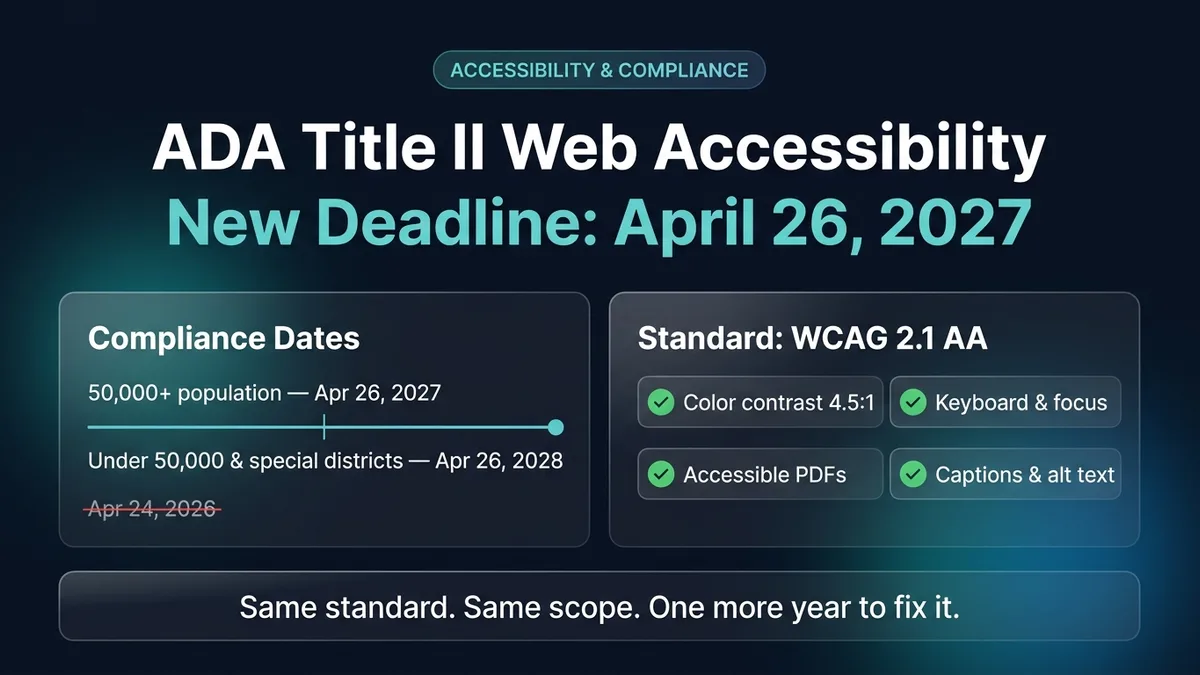
Four days before the original compliance date, the Department of Justice moved the goalposts. On April 20, 2026, the Attorney General signed an interim final rule pushing the ADA Title II web and mobile app accessibility deadline back by one year — to April 26, 2027 for larger public entities and April 26, 2028 for smaller ones. The technical standard (WCAG 2.1 Level AA) did not change. The five narrow exceptions did not change. What changed is the clock, and for engineering and compliance teams that were either mid-remediation or quietly hoping the rule would be watered down, the next twelve months are the entire window.
What Changed on April 20, 2026 — and What Did Not
The original final rule, published in the Federal Register on April 24, 2024 under 28 CFR Part 35, gave state and local governments two years (or three, for smaller jurisdictions) to bring every public-facing website and mobile app into conformance with the Web Content Accessibility Guidelines (WCAG) 2.1 Level AA. On April 20, 2026, the DOJ issued an interim final rule extending both compliance dates by one year while it conducts an additional rulemaking review on implementation costs for small entities.
| Covered entity tier | Original compliance date | New compliance date | Required standard |
|---|---|---|---|
| State and local governments with total population of 50,000 or more | April 24, 2026 | April 26, 2027 | WCAG 2.1 Level AA |
| Public entities with total population under 50,000 | April 26, 2027 | April 26, 2028 | WCAG 2.1 Level AA |
| Special district governments (transit, water, school, library districts) | April 26, 2027 | April 26, 2028 | WCAG 2.1 Level AA |
Two details in the interim rule matter for anyone writing code or signing vendor contracts:
- The underlying obligation under Title II did not pause. Public entities have had a general nondiscrimination obligation under the ADA since 1990. The 2024 rule codified WCAG 2.1 Level AA as the specific technical benchmark; pushing the automatic enforcement date to 2027 does not immunize a public agency from individual complaints, OCR investigations, or private lawsuits filed today.
- Third-party vendor deliverables are explicitly in scope. Under
28 CFR § 35.200(b), a state or local government must ensure that web content and mobile apps provided through contractual, licensing, or other arrangements also conform to WCAG 2.1 AA. That clause is why private SaaS companies, agencies, and independent developers who sell to cities, counties, public universities, school districts, or transit authorities are already seeing WCAG 2.1 AA indemnification clauses in RFPs and renewal contracts.
Who Is Actually Covered (Including Private Vendors)
ADA Title II applies directly to state and local government entities: state agencies, cities, counties, townships, public K–12 school districts, public universities and community colleges, municipal courts, public hospitals, public libraries, and regional transit authorities.
If you run a private software company or agency, Title II reaches you through procurement. A city cannot outsource its utility billing portal, parking permit app, court scheduling system, or LMS and point at the vendor when a screen-reader user cannot pay a bill. The public entity remains legally liable to the citizen, so its procurement office passes that liability downstream in the Master Services Agreement:
- VPAT / ACR requirement: An Accessibility Conformance Report based on the ITI VPAT 2.5 template, filled out against actual WCAG 2.1 Level A and Level AA success criteria — not a one-page marketing statement.
- Remediation SLA: Contract language requiring critical accessibility blockers (keyboard traps, unlabeled checkout or payment inputs, broken screen-reader announcements) to be fixed within a defined window, often 30 to 90 days.
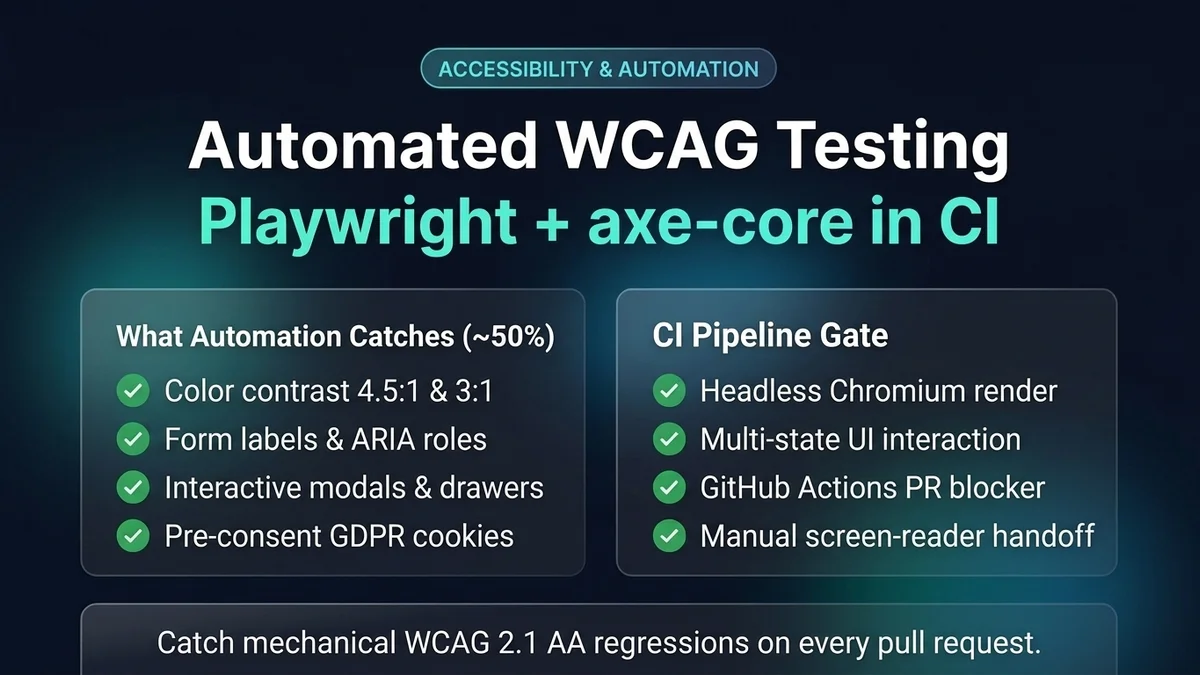
- Automated + manual audit evidence: Proof that the application is tested against both automated DOM rules (such as Playwright + axe-core in CI) and manual assistive-technology workflows.
Meanwhile, purely private businesses (e-commerce, SaaS, hospitality, healthcare, fintech) remain governed by ADA Title IIIand state laws such as California's Unruh Civil Rights Act and New York State Human Rights Law. Over 4,000 federal and state ADA web lawsuits were filed in 2025 alone, and plaintiffs' firms universally cite WCAG 2.1 AA — the exact standard codified in the Title II rule — as the benchmark for settlement consent decrees.
What WCAG 2.1 Level AA Actually Requires in Code
WCAG 2.1 Level AA comprises 50 success criteria (30 at Level A plus 20 at Level AA). In real engineering audits — including scans I run through AuditBloc, the WCAG and GDPR compliance scanner I built — roughly 80% of failures cluster around eight concrete engineering mistakes:
- Insufficient color contrast (WCAG 1.4.3 & 1.4.11): Body text needs a contrast ratio of at least
4.5:1against its background; large text (18pt or 14pt bold) and interactive UI boundaries/icons need at least3:1. Low-contrast muted gray text on light cards and pale placeholder text inside form inputs fail more audits than any other single rule. - Missing programmatic form labels (WCAG 1.3.1 & 3.3.2): A
placeholderattribute is not an accessible name. Every<input>,<select>, and<textarea>must be paired with a visible<label htmlFor="...">or an explicitaria-label/aria-labelledbyreference, and validation errors must be linked viaaria-describedbyandaria-invalid="true". - Keyboard traps and missing focus management (WCAG 2.1.1, 2.1.2, 2.4.3, 2.4.7): Every interactive control must be reachable and operable with
Tab,Shift+Tab,Enter,Space, and arrow keys, with a visible:focus-visibleoutline. Custom modals and drawers must move focus inside when opened, trapTabwithin the dialog while open, close onEscape, and restore focus to the trigger button on close. - Clickable divs and spans without semantics (WCAG 4.1.2): A
<div onClick={...}>has no role, no keyboard tab stop, and noEnter/Spacehandler. Use a native<button type="button">for actions and an<a href="...">for navigation. - Icon-only buttons and links without accessible names (WCAG 1.1.1 & 4.1.2): Hamburger menu buttons, close buttons, pagination arrows, and social icon links must have either an
aria-labelor visually hidden.sr-onlytext, witharia-hidden="true"on the decorative SVG. - Broken heading hierarchy and missing landmarks (WCAG 1.3.1 & 2.4.1): Screen-reader users navigate pages by landmark regions (
<header>,<nav>,<main>,<footer>) and by heading levels (h1→h2→h3). Skipping fromh1toh4for visual sizing breaks the document outline, and every page needs a "Skip to main content" link as its first focusable element. - Reflow and text resizing up to 200% / 400% (WCAG 1.4.4 & 1.4.10): At a
320pxCSS viewport width (equivalent to a1280pxdesktop monitor zoomed to 400%), content must reflow into a single column without requiring two-dimensional scrolling, except for data tables, maps, and diagrams. Fixed pixel heights (height: 48px; overflow: hidden) that clip wrapped text are a common violation. - Untagged PDFs and missing video captions (WCAG 1.2.2, 1.2.5, 1.3.1): Under Title II, active PDFs — forms, agendas, fee schedules, policy packets — must be properly tagged with reading order, headings, table headers, and alt text, or replaced with accessible HTML pages. Pre-recorded video with audio requires synchronized captions, not unedited auto-captions.
The Five Exceptions — and Where Teams Misread Them
The DOJ rule includes five narrow exceptions in 28 CFR § 35.204 where content does not need to meet WCAG 2.1 AA unless an individual with a disability specifically requests an accessible version:
- Archived web content: Content created before the compliance date that is kept exclusively for reference, research, or recordkeeping, stored in a dedicated archive area, and never modified or used to apply for or access a current service.
- Preexisting conventional electronic documents: PDFs, Word documents, spreadsheets, and presentations posted before the compliance date — unlessthey are currently used to apply for, gain access to, or participate in the public entity's services, programs, or activities. An old 2019 council budget PDF qualifies; a PDF building permit application used today does not.
- Content posted by a third party: User-generated comments or public submissions posted by unaffiliated third parties, when the third party is not acting under contract with the public entity.
- Individualized, password-protected documents:Account-specific PDFs (such as a single resident's water bill or tax statement) behind a login portal. The portal itself must still meet WCAG 2.1 AA, and the entity must provide an accessible version of the individual document upon request.
- Preexisting social media posts: Social media posts published before the compliance date. New posts published after the deadline must include alt text on images and captions on videos.
Why Accessibility Overlays Are a Liability, Not a Fix
Whenever a deadline approaches, vendors selling one-line JavaScript "accessibility overlay" widgets flood inboxes promising instant ADA and WCAG conformance for $49 a month. Do not install them:
- Regulatory enforcement: In 2025, the Federal Trade Commission ordered one of the largest overlay vendors to pay $1 million for falsely claiming its AI widget could make any website WCAG-compliant.
- Litigation target:More than 20% of federal ADA web lawsuits filed in 2024 and 2025 targeted websites that already had an accessibility overlay widget installed. Plaintiffs' attorneys specifically scan for overlay script tags because an overlay does not fix broken keyboard navigation, unlabeled form controls, or untagged PDFs.
- Assistive-technology interference: Blind and low-vision users who already run NVDA, JAWS, or VoiceOver regularly report that overlay toolbars override their native screen-reader shortcuts and degrade page usability.
A Practical 12-Month Remediation Plan Before April 2027
If you own a public-sector site, a university property, or a SaaS product sold into government and education, treat the one-year extension as four concrete engineering quarters:
- Quarter 1 (Months 1–3) — Inventory & Automated Baseline: Crawl every public domain, subdomain, authenticated portal, and PDF directory. Archive obsolete PDFs into a clearly labeled archive route so they qualify for the archived-content exception. Wire automated accessibility scanning into CI using Playwright and axe-core (or run an initial baseline scan with AuditBloc) to surface every machine-detectable violation across key templates.
- Quarter 2 (Months 4–6) — Design System & Shared Components: Fix accessibility at the component layer first. Remediate your shared navigation header, mobile drawer, modal dialog, form input wrapper, select dropdown, date picker, and data table components. Fixing 15 shared React/Next.js primitives typically resolves 70%+ of page-level findings across the entire site.
- Quarter 3 (Months 7–9) — Critical User Journeys & PDF Replacement: Manually test your top 10 user flows (login, search, checkout/payment, form submission, appointment booking) using only a keyboard and a screen reader (NVDA on Windows or VoiceOver on macOS/iOS). Convert high-traffic fillable PDFs into accessible HTML forms.
- Quarter 4 (Months 10–12) — VPAT Documentation & Regression Gates: Publish an Accessibility Statement with a direct feedback channel, prepare an updated VPAT 2.5 Accessibility Conformance Report for procurement teams, and block pull requests in GitHub Actions when new critical or serious axe-core violations are introduced.
Frequently Asked Questions
Did the ADA Title II compliance deadline move?
Yes. On April 20, 2026, the Department of Justice issued an interim final rule moving the compliance date for public entities with a population of 50,000 or more from April 24, 2026 to April 26, 2027. Entities under 50,000 and special district governments now have until April 26, 2028.
Does ADA Title II apply to private businesses?
Directly, no — Title II covers state and local governments. Private businesses are covered by Title III, unless they build or operate web content or mobile apps under contract with a state or local government, in which case the Title II standard flows through the procurement contract.
Why WCAG 2.1 AA and not WCAG 2.2?
The DOJ locked the technical standard to WCAG 2.1 Level AA when drafting the rule so regulated entities had a fixed specification to build against. Meeting WCAG 2.2 AA automatically satisfies WCAG 2.1 AA because 2.2 is backward-compatible.
Can an accessibility overlay widget make a site compliant?
No. Overlay widgets do not remediate underlying DOM structure, form labels, keyboard traps, or PDF tags, and the FTC fined a major overlay vendor $1 million in 2025 for deceptive compliance claims.
Need to audit or remediate a React, Next.js, or full stack web application for WCAG 2.1 AA compliance? Explore AuditBloc, review my full stack engineering services, or get in touch to scope an accessibility audit and remediation sprint.