I have lost count of the App Router projects I have seen that technically run but were built every way the migration guides warn against: a full-screen use client at the top of every page, cache settings copied from an old tutorial, metadata setups that silently lose social images, and Suspense boundaries sprinkled around like superstition. The framework works anyway, which is the unsettling part — these projects run fine in a demo and fall apart the moment real users, real SEO, and a real database arrive.
This is the guide I wish existed when I shipped my first production App Router build. It is organized by what actually goes wrong, not by what the framework markets. Every pattern below comes from a deployed project — this portfolio itself runs Next.js with the App Router, and I maintain it the way I describe here.
Server components by default; client components on purpose
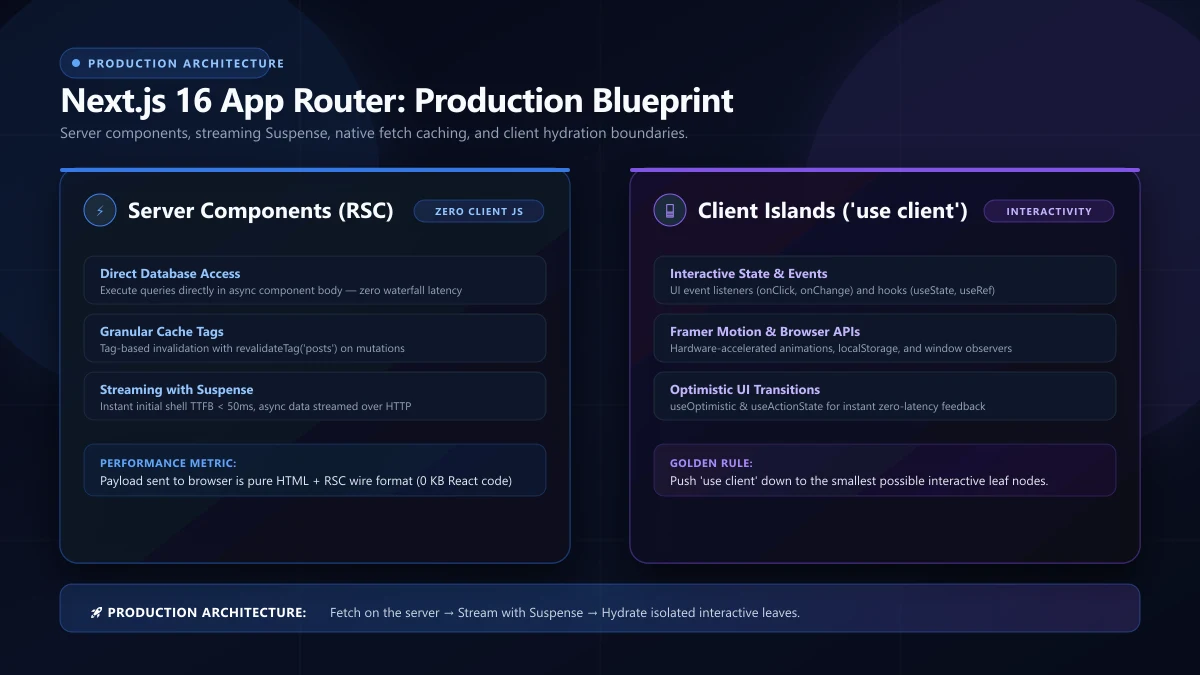
The App Router flipped the default. Every component is a server component unless you explicitly opt in with use client. Teams with SPA habits fight this constantly, and the fight is usually invisible: no error, no warning — just heavy pages.
What does "on purpose" mean concretely? Go through a real page and sort its pieces:
- Stays server-side: data fetching, money and date formatting, SEO markup, the whole static shell. None of this needs a browser.
- Moves to the client as leaves: a carousel, a form with optimistic validation, a countdown timer, a theme toggle. Small, interactive, ends of the tree.
- Never mixes: do not wrap a server data-fetching tree in a client boundary because one button needs state. Extract the button. The difference is whether you ship 40 KB or 400 KB of JavaScript for the same visible page.
The failure mode is so common it deserves its own name: the client-climb. Someone marks a section use client, then its parent needs a callback, so the parent climbs too, then the layout, until the entire page hydrates like a 2019 SPA with one extra re-render cost. On one rescue project, converting a client-climbed dashboard correctly moved its JavaScript payload from 620 KB to 90 KB with zero visual change. That is not an optimization; that is a different product in terms of feel.
A useful rule for code reviews: if a client component is longer than about a screen and contains anything that could run on the server — data fetching, formatting, permission checks — stop and challenge it. Interactivity is local; data is global.
Data fetching: four patterns, four distinct jobs
App Router data fetching confuses people because there are several legitimate mechanisms that look similar. Map each to its job:
1. Async server components (the default answer)
Make the component async and await directly. This replaces getServerSideProps entirely and reads like normal code:
export default async function InvoicePage({ params }) {
  const invoice = await getInvoice(params.id)
  if (!invoice) notFound()
  return <InvoiceView invoice={invoice} />
}
Parallelism is the detail everyone misses: fire independent queries together with Promise.all, or they will waterfall. I have profiled pages where three sequential awaits turned a theoretically fast page into a 1.6-second server render — while the database behind them was idle the whole time.
2. Route handlers for machine-facing APIs
Webhooks, OAuth callbacks, RSS (this site's /feed.xml is a route handler), and file downloads. Route handlers are not for feeding your own server components — if a component needs data, call the data layer directly. Fetching your own API from your own component is the SPA mental model bleeding through the wall, and it doubles cold-start latency for nothing.
3. Forms and mutations: server actions
Server actions moved most form handling server-side. For a contact form, a server action gives you progressive enhancement practically free: the form works before hydration finishes and even with JavaScript disabled. Pair it with useActionState for inline validation feedback. Just remember server actions are POST endpoints with framework auth assumptions — add your own checks when the data being written matters.
4. Client fetching only for live data
Countdowns, presence indicators, live prices. If the data changes during a single page view, the river flows client-side; if it only changes between visits, fetch on the server.
Caching: the four layers you have to reason about
Next.js caching confusions cause half of the "why is the page stale on production" bugs I see. Four distinct caches decide what your user sees:
- Fetch cache — dedupes and stores
fetch()results, controlled per-request (cache: 'no-store'ornext: { revalidate: N }). - Full route cache — prerendered HTML for static sections, invalidated by revalidate timers or
revalidatePath/revalidateTagcalls. - Router cache — the client-side store that makes navigation feel instant, reset by refresh; this is the one that makes testers on staging claim they "still see old copy" that everyone else moved past days ago.
- ISR timer —
export const revalidate = 300on the page segment. Five minutes is my default for database-backed public pages.
The practical recipe: choose per-route. A homepage might be static forever. Blog index — my pick is 5 minutes so new articles land quickly without redeploying. Blog post pages live in the same ISR group, and — this is the piece most teams skip — every CMS-backed write needs a revalidation call, otherwise the public site keeps serving a pre-publish cache, including a temporarily cached 404 for a just-published post. I have chased exactly that bug once, and it was two days of confusion for a one-line fix that someone had documented in a blog post I had not read.
For code and settings around this, resist cleverness. Two revalidate values product-wide (say 60 for anything user-visible and time-sensitive, 3600 for anything else) beats thirty bespoke choices, because future-you can reason about behavior without opening six files.
Metadata and SEO in the App Router era
The Metadata API is a genuine improvement over hand-written <head> management, but it has one behavior that trips up even experienced devs: metadata shallow-merges down the tree. If a page defines openGraph, it replaces the root Open Graph config entirely. Forget siteName on the page and your social cards degrade in ways nobody notices until a big link share makes it embarrassing.
The pattern that fixed this for me lives in one file — lib/site-metadata.ts — a single buildPageMetadata() helper every route calls:
export function buildPageMetadata({ title, description, canonicalPath }) {
  const canonical = `${SITE_URL}${canonicalPath}`
  return {
    title: { absolute: title },
    description,
    alternates: { canonical },
    openGraph: {
      siteName: SITE_BRAND,
      locale: 'en_US',
      title, description,
      url: canonical,
      type: 'website',
      images: [defaultOgImage],
    },
    twitter: { card: 'summary_large_image' },
  }
}
Every page passes its specifics; the helper redeclares the inherited defaults so nothing can vanish. It is the same philosophy as any design system: push the easy-to-forget parts down into one place where forgetting is impossible.
Beyond metadata, three SEO structures matter in app-router builds: canonical URLs (avoiding trailing-slash variants quietly splitting rankings), a real sitemap with images and honest lastmod dates, and JSON-LD built from the same data that renders the page. When your structured data and your visible content can drift apart, eventually they will drift apart — and rich results die quietly.
Streaming and skeletons: paint fast, think slow
Suspense in the App Router is not decoration. It changes what the network does. Wrap the slow section — usually the one waiting on your slowest query — and the rest of the page ships immediately. Choose boundaries by user value, not by data source: the pricing table above the fold should not stream behind an analytics panel nobody asked for first.
My rule of thumb is to think in first-paint terms: what does the user need in the first second? That goes in the shell. Everything else goes behind a boundary with a skeleton that roughly matches the content's final size, because skeletons that resize on load cause more layout shift than no skeletons at all — a detail easy to miss and painful to debug from screenshots three weeks later.
Images and fonts: the fixed budget
Two asset movers, two rules:
- Images:
<Image>everywhere responsive, with correctsizes— I still find portfolio sites shipping desktop-sized images to phones, and the penalty is always identical: an avoidable LCP hit. For hero images specifically, serve AVIF/WebP and do not lazy-load the visible one. - Fonts:
next/font, withdisplay: swapand only the weights used. Every extra weight is a real file that blocks or flashes. I have audited sites loading eight font variants to render two.
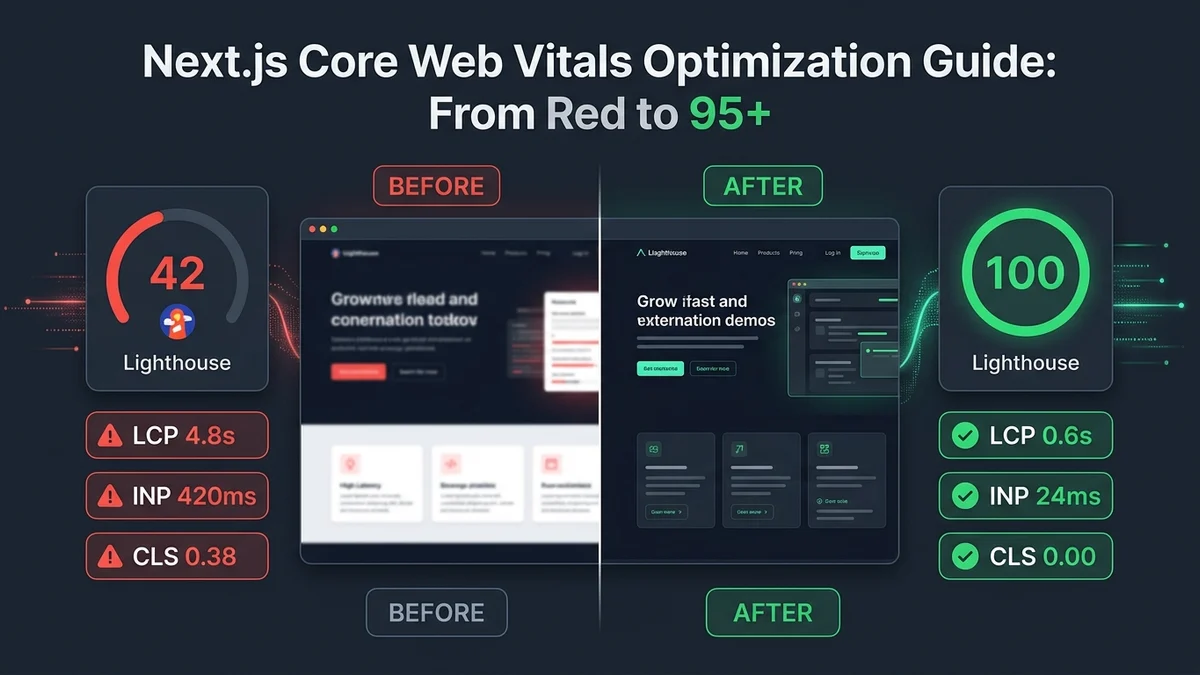
The sum of getting this right is boring: it compounds into an LCP you never have to think about again, versus an Lighthouse score you re-chase after every release.
Testing and CI: the minimum serious setup
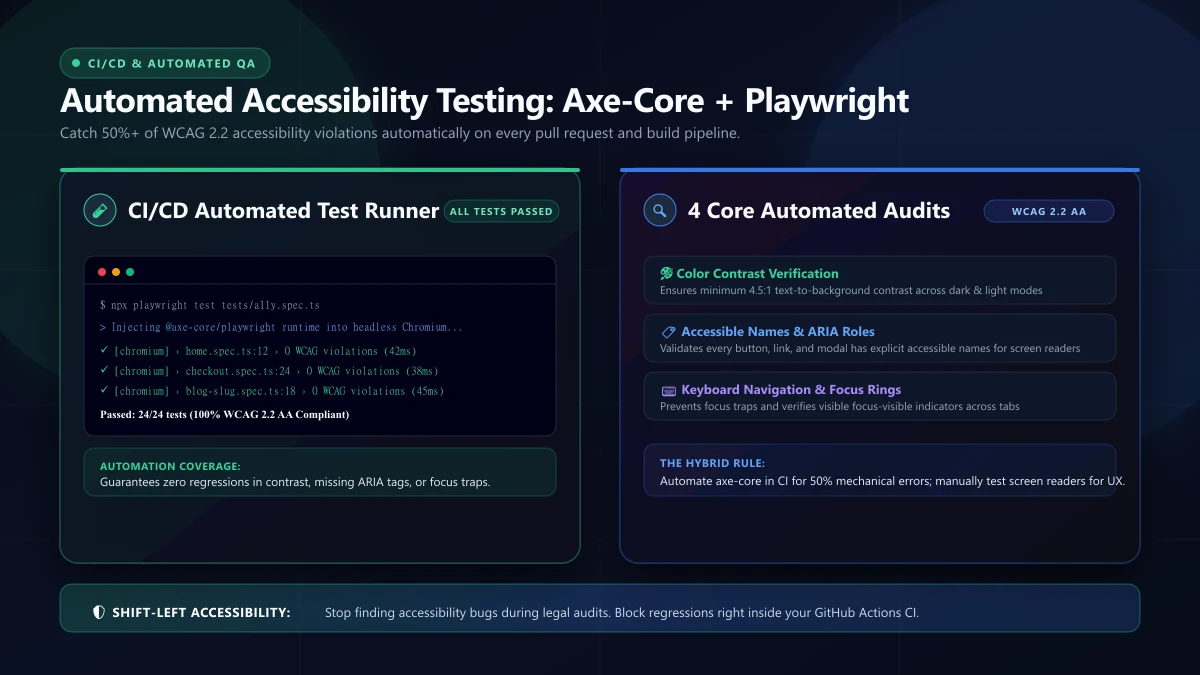
App Router testing is genuinely better than the pages-router era, and teams skip it anyway. At minimum: type safety (tsc --noEmit in CI), ESLint, a Playwright smoke test per critical route, and a build check that fails on broken static generation. Production issues in App Router projects overwhelmingly come from one of two places — data-fetch assumptions and metadata regressions — and both are exactly what this setup catches before users see them.
I would add one unusual-but-valuable check: a test that hits each page and asserts its <title> and <meta name="description"> content against a fixture. Metadata regressions get found manually in my experience only after they have already been live for weeks.
A pre-launch checklist
- Every route has unique metadata (title, description, canonical) — verify by looking at rendered HTML, not props.
sitemap.tsincludes everything worth indexing, with honestlastmod.robots.tsexists, blocks admin routes, and does not over-block.- JSON-LD per page type, built from the same source of truth that renders content.
- Error and not-found pages exist for every route group.
- Forms degrade without JavaScript (server actions with a real <form>).
- Cold-start and TTFB checked on production deployment, not dev overlay numbers.
- Revalidation wired for every CMS write path.
FAQ
Should I migrate my pages-router project? If it has SEO needs, yes, and do it route by route. If it is a pure authenticated dashboard with no SEO surface, the ROI is weaker — App Router benefits concentrate exactly where server rendering matters.
Is React Server Components the same thing as SSR? No. SSR renders HTML on every request; server components render once on the server during the build or revalidation and ship zero JavaScript for themselves. They solve different problems and combine well.
Server actions or REST API — which should I choose? Server actions for mutations your own UI fires; route handlers for anything a machine, webhook, or mobile client needs. They coexist cleanly in one codebase.
Why is my production build slower than dev? Production builds minify, tree-shake, and — critically — actually prefetch and cache. Measure with production builds against production data; dev overlay numbers lie in ways that flatter dev.
Routing, layouts, and the details that bite later
The App Router's file-system routing is deceptively simple — folders are routes — and the subtle machinery lives in the files you put inside them. Getting the layout/ template/ loading/ error/ tuple right per route group is what separates codebases that read cleanly from ones where every fix requires reading six files.
- Layouts nest and persist. The nav that should never re-render across page navigation lives in the nearest layout, not in every page. Teams that discover this late re-work their shell entirely; it is the highest-leverage structural decision in an app-router codebase.
- error.tsx is a client component (it needs interactivity to retry), which surprises people — and it must be a real error boundary per route group, not inherited from a distant ancestor, so users get a contextual message instead of a global shrug.
- loading.tsx is a route-level Suspense boundary. Fine for a default; the moment one section of the page is slow and the rest is fast, add finer Suspense inside the page and reserve the route-level fallback for genuine cold navigations.
- Route groups organize without affecting URLs. (marketing) / (app) folders keep public and authenticated shells separate — with separate layouts, separate fonts even — while the URL structure stays flat. Naming route groups deliberately is cheap; retrofitting them means touching every auth redirect.
- Middlewares run on the edge, every request. Keep them lightweight and allowlist-honest: auth redirects and A/B flags, yes; database calls and per-request work, never — they run on every single navigation and their latency is everyone's latency.
One pattern that has repeatedly earned its cost: a shared/ directory of pure functions (formatting, validation, permission logic) imported by both server components and client components. It sounds like architecture for its own sake until the first time two pages need the same permission rule and you grep the codebase — and find one copy and one hand-rewritten copy that disagree.
Environment configuration and the secrets that leak
App Router blurred the server/client line, and environment variables inherited the confusion. The rules I enforce on every build:
NEXT_PUBLIC_*variables are public — physically shipped to browsers. Never tokens, never database URLs, never "temporary" anything. The prefix is a promise to the internet.- Server-only secrets live server-only, referenced directly in server components, route handlers, and server actions. If a client component needs a value, the server passes it down explicitly — never through process.env in shared modules, which reads the wrong bucket depending on where the file ends up.
- Build-time vs runtime matters: anything inlined at build time bakes into that build; environment-specific behavior (API URLs, feature flags) that changes per deployment must be runtime-read, or every environment change forces a rebuild.
- Test for leaks in CI. A regex pass over the built bundles for known secret shapes ("sk_live_", "AIza", JWT shapes) has caught real problems in audits I inherited, and it costs seconds.
The failure mode is specific: a developer "temporarily" exposes a service through NEXT_PUBLIC_ to unblock the frontend, the ticket closes, and the credential lives in every bundle for a year. A weekly pass over what the prefixes commit to beats after-the-fact audits every time.
Beyond cache configuration and metadata, one production-grade topic completes this guide: observability tuned for the App Router's execution model. Because rendering now happens at multiple layers (server components at build/revalidate time, server actions on demand, edge middleware in between), a latency spike can no longer be diagnosed by reading one obvious log stream. The setup that made debugging tractable on my builds: a request ID attached in middleware and flowing through every log line including server-action invocations; query-duration logging gated behind a duration threshold rather than logged always; and — the piece that earns its security review — sampling for high-frequency routes so the logging itself never becomes the load problem. None of that requires APM tooling to start; a well-structured log pipeline answers the incident questions of the first year, and the dashboard habit forms around real tickets rather than around tool features.
A second habit worth adopting from week one: a route-audit ritual after every major framework upgrade. Next.js majors deprecate patterns fast, and the sites that age badly are the ones that upgrade without re-reading the route tree — an afternoon per route group re-answering "is this fetch strategy, this boundary, and this cache behavior still the best fit?" has caught deprecation debt and performance drift together on every upgrade cycle I have run. Treat it like dependency hygiene: scheduled, boring, permanent.
This site is a live reference for the whole pattern set. Want this applied to your product? See what I build or get in touch.